









Free Prep Kit
Get Ahead of Budget Season with Our Prep Kit
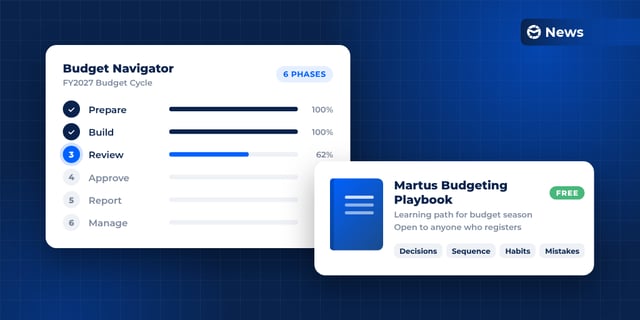
Budget season can get messy, especially when you're wrangling spreadsheets, approvals, and reporting by hand. We've created a Budget Season Prep Kit just for finance leaders like you. It's filled with practical, ready-to-use resources.
Free Resources
What's Inside the Kit
- Guides & ChecklistsChecklists and guides for a smoother season
- Blog ArticlesQuick reads on budgeting and planning better
- Explore MartusTake a tour, run the numbers, meet the team
- Customer StoriesHow finance teams like yours made the switch
Pick a category to jump straight to it.
The Budget Season Prep Kit
Everything You Need to Plan with Confidence
-
Guides & Checklists
Nonprofit Year‑End Checklist
Your quick-reference guide designed to help you organize your close process, prep for your audit, and align your budget with your mission—all without getting buried in spreadsheets.
Download the PDF -
Guides & Checklists
Eight Budgeting Pitfalls
Don't let budgeting pitfalls derail your planning. Avoid costly missteps, align your team, and future-proof your financial strategy.
Download the PDF -
Guides & Checklists
Build an AI‑Ready Finance Team in 20 Days
An AI-ready finance team has a plan for how AI gets deployed, checked, and trusted. A meaningful plan makes AI more than just access to a tool. This guide creates a simple, 20-day roadmap to get there.
Get the Guide -
Blog Articles
Signs Your Nonprofit Has Outgrown Spreadsheets
Manual data entry, human error, and the lack of real-time insights can severely limit your organization's efficiency and impact. Here are eight signs that your organization has outgrown spreadsheets and what to do next.
Read the Article -
Blog Articles
Nonprofit Expense Categories: Guide + Examples
Learn the key expense budget categories every nonprofit should track, view practical examples, and discover ways finance teams can classify spending accurately and report with confidence.
Read the Article -
Blog Articles
Martus vs. Excel
Spreadsheets are not a budget. Finance leaders are ditching manual entry and version control bottlenecks for Martus' real-time collaborative budgeting, forecasting and scenario planning.
Read the Article -
Explore Martus
Take a Tour of Martus
Check out key features of Martus and see how it can help you get everyone out of spreadsheets and on the same page.
Take the Tour -
Explore Martus
Martus ROI Calculator
See how much time your team gets back on budgeting, personnel planning, and reporting with Martus. No form, no email required.
Calculate Your ROI -
Explore Martus
About Martus Solutions
Martus was built to solve a real problem: Help organizations with limited resources plan responsibly for growth, impact, and sustainability.
Learn About Martus -
Customer Stories
Adler Planetarium
Martus reduced administrative overhead, improved collaboration, and gave Adler's finance team the tools to make faster, better-informed decisions.
Read the Case Study -
Customer Stories
Wildlife Conservation Network
See how Wildlife Conservation Network (WCN) turned financial complexity into real-time transparency—freeing its teams to focus less on manual budget management and more on protecting wildlife.
Read the Case Study -
Customer Stories
GA Tech Alumni Association
Martus replaced the Association's disconnected spreadsheets with a centralized budgeting platform, giving every manager direct access to real-time financial data.
Read the Case Study
Not Sure Where to Start?
Three Steps to a Smoother Budget Season
- 01 Close Out Your Year Use the Nonprofit Year-End Checklist to organize your close and start the new budget on solid ground. Download the Checklist
- 02 Avoid the Common Pitfalls Learn the eight budgeting mistakes that most often derail planning, and how to steer clear of them. Download the PDF
- 03 See Martus in Action Take a quick tour to see how finance teams move budgeting out of spreadsheets and get everyone on the same page. Take the Tour